Stop guessing, start measuring
Scopes
Your monitor lies — ambient light, eye fatigue, and a screen that drifted out of calibration all push you to grade by feel. Scopes show you the truth: an objective read of exposure, balance, and saturation, so your looks hold up on every screen but your own.
One image, three ways to read it
The same graded frame on the histogram, waveform, and vectorscope.
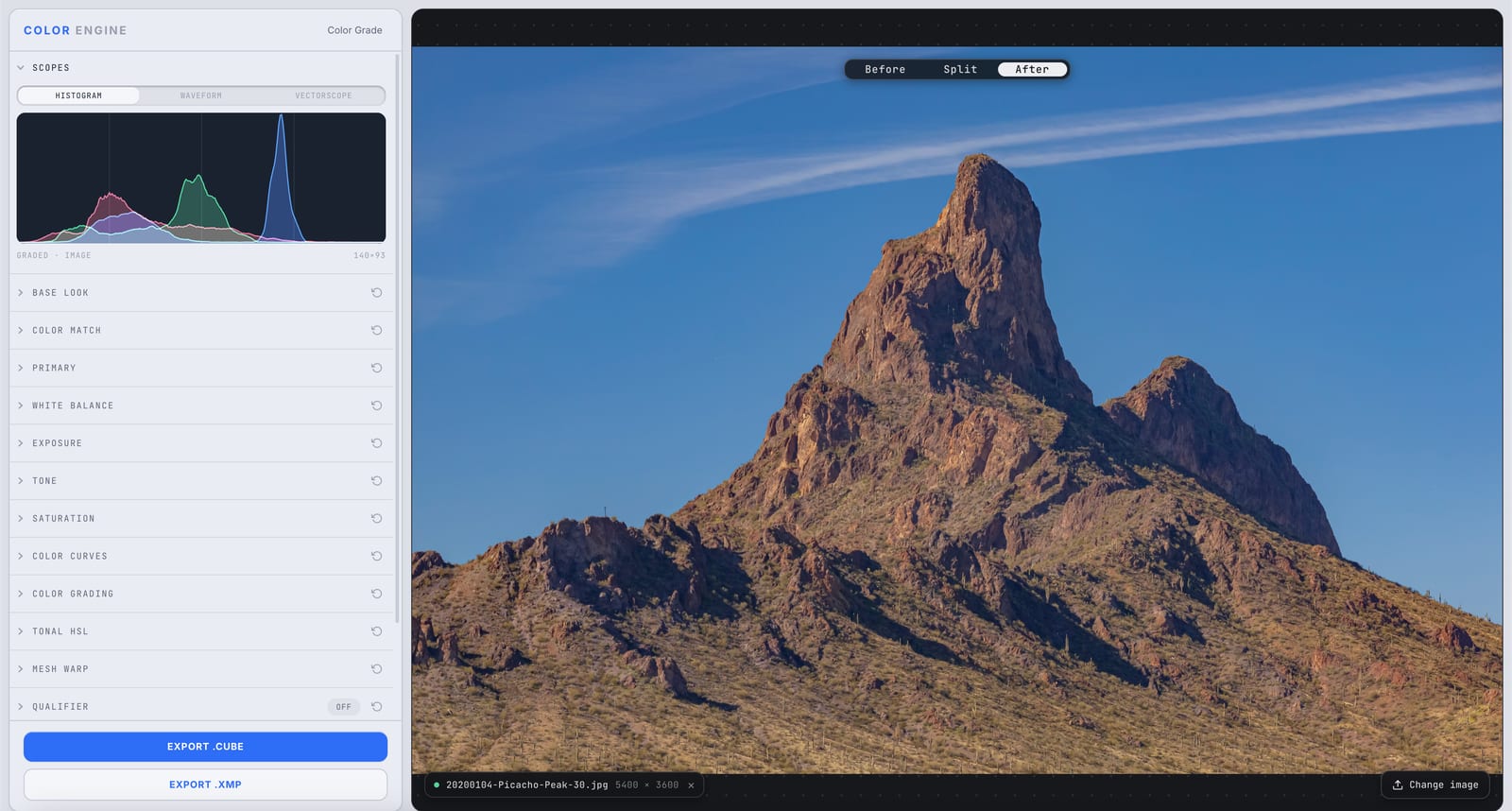
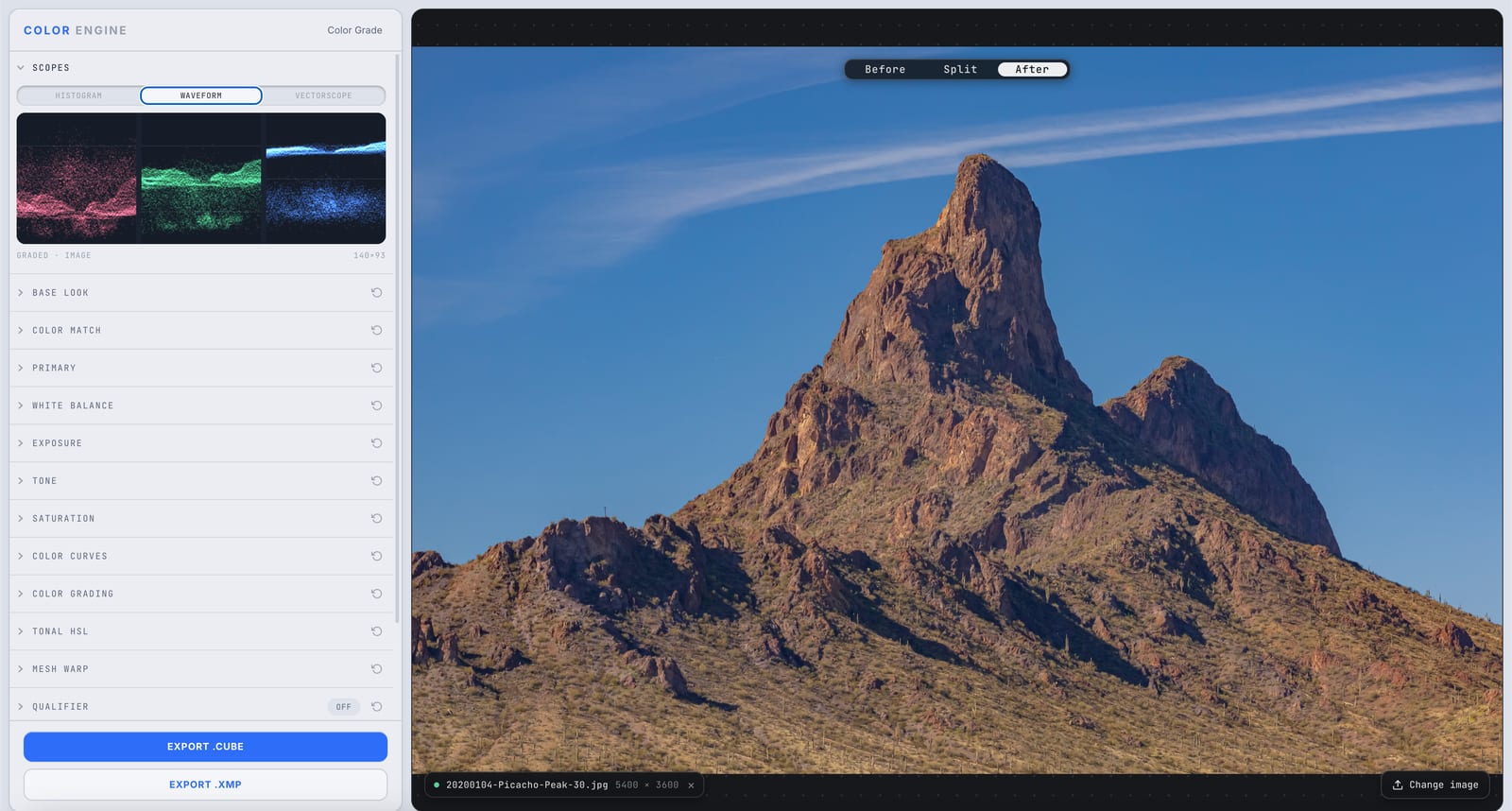
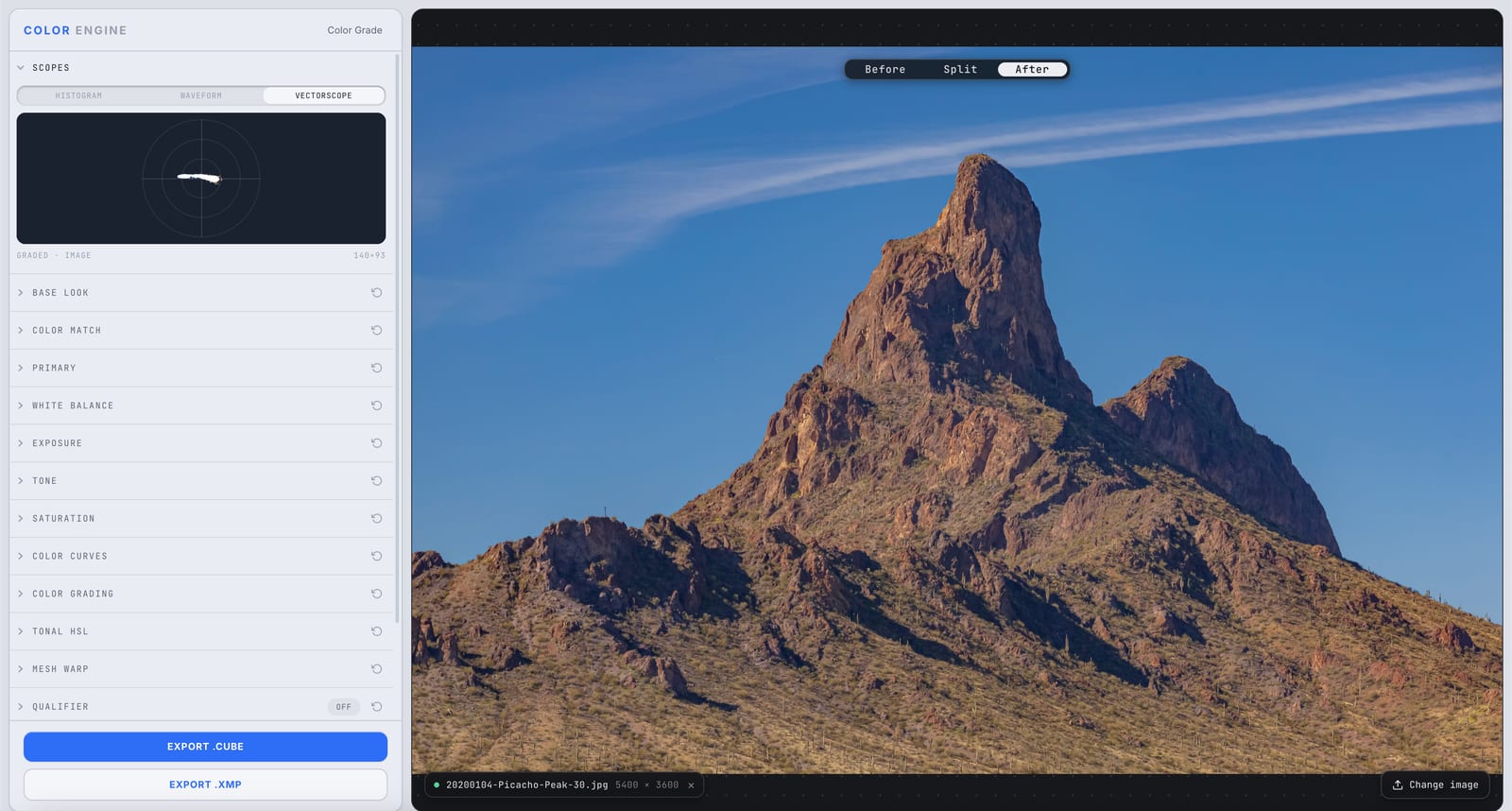
What it is
Scopes are instruments — they measure the actual pixels in your image instead of trusting your eyes. Color Engine gives you the three that matter: Histogram, Waveform, and Vectorscope, switchable in the Scopes panel.
Use them to set exposure, neutralize color, and match shots with numbers, not vibes — so a grade that looks right in your room looks right everywhere.
The controls
Histogram
Counts how many pixels sit at each brightness level, shadows on the left to highlights on the right. Spot crushed blacks, blown highlights, and where your tones bunch up.
Waveform
Plots brightness against horizontal position, so you see exposure and clipping where they happen in the frame. Luma reads 0–100 IRE; the RGB parade splits it into red, green, and blue.
Vectorscope
A polar plot of color: hue is the angle, saturation is the distance from center. Neutrals cluster in the middle; the skin-tone line shows whether faces land where natural skin should.
What to do with it
Where Color Match earns its place in a real grade.
Set exposure objectively
Park highlights below clipping and blacks above crush on the waveform — no guessing from a screen that's too bright.
Neutralize a cast
If the vectorscope blob pulls off-center on a shot that should be neutral, you've got a color cast — pull it back to the middle.
Nail skin tones
Drop a face onto the vectorscope and ride it toward the skin-tone line; it works across complexions because it tracks hue, not lightness.
Match shots
Compare two clips' waveforms and vectorscopes and match the numbers — far more reliable than eyeballing.
Field tips
- Use the RGB parade to find casts fast: if the three traces don't line up in the neutrals, one channel is off.
- Trust the waveform over your monitor for exposure — monitors drift, IRE doesn't.
The science
The part nobody else explains
Why your eyes can't be trusted
Your visual system adapts — to room light, to the last shot you saw, to a monitor that's 200 nits too bright. That adaptation is great for survival and terrible for consistent grading. Scopes don't adapt; they report.
Luma vs the RGB parade
The luma waveform shows perceived brightness; the parade splits the same data into red, green, and blue traces. Aligned traces in the neutrals mean balanced color. Offset traces mean a cast in that channel and tone.
The vectorscope is a chroma map
Strip out brightness and you're left with color as a 2D plane — angle is hue, radius is saturation. It's the cleanest way to see balance and saturation independent of exposure, which is why colorists live in it.
The skin-tone line
Natural skin — any skin — falls along one consistent hue axis between red and yellow. The vectorscope's skin line marks it, so 'are these faces believable?' becomes a measurement, not an argument.
Frequently asked
Waveform or histogram — which should I use?
The histogram tells you how much of each tone you have; the waveform tells you where in the frame it lives. Use the histogram for overall exposure, the waveform to catch a blown sky or a crushed corner.
What's the skin-tone line?
A reference line on the vectorscope marking the hue of natural skin. Ride skin tones toward it and faces read true regardless of complexion.
Why not just trust my monitor?
Because it's almost certainly not calibrated, your room isn't neutral, and your eyes adapt. Scopes are the same on every system — they're how you make a grade travel.
Related features
Try Scopes on your own shot
Build a look, match it across a set, and export a LUT or preset in minutes — free for 14 days, no installs.